
Off Nadir and Cloud Cover
When you place a tasking order, two important factors can affect the quality and feasibility of your imagery: Off Nadir and Cloud Cover. In this guide, we’ll explain these concepts in plain language, walk you through your options, and highlight key validations to help ensure you get the best results.
Off Nadir – Get the Right Angle
The Off Nadir angle refers to the angle between the satellite's straight-down (nadir) view and the direction in which the image is captured. In simpler terms, it tells you how far the image was taken from being directly overhead.
Imagine a satellite flying over your area of interest. If it captures an image directly from above, that’s a “nadir” view – the most straightforward and clear perspective. However, sometimes the satellite captures images at an angle. This angle away from the direct, overhead view is called the Off Nadir angle.
-
Why It Matters:
- A smaller off-nadir angle (closer to directly overhead) generally gives you a more accurate and clear image.
- Tighter settings (like within ±10°) might sometimes make it harder to capture an image, which could affect your order’s success.
-
Available Options:
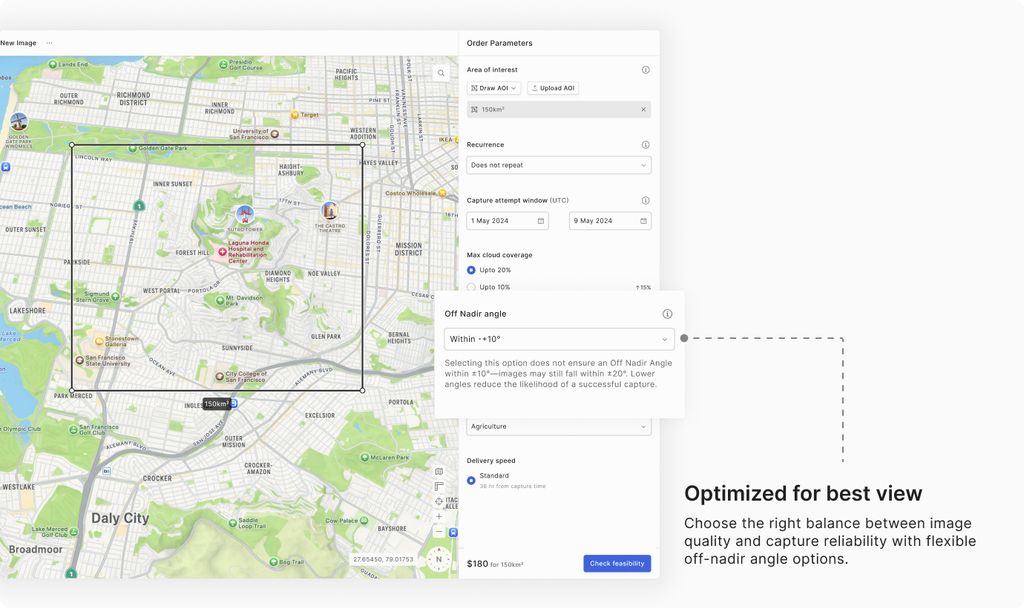
- Default: Within ±20°
- A broad range that typically ensures reliable capture (no additional uplift)
- Option 2: Within ±15°
- A more focused option (no additional uplift)
- Option 3: Within ±10°
- The most restrictive option aimed at capturing images almost directly overhead.
- Important: Even if you select ±10°, there’s no absolute guarantee that the image will be captured within that narrow range. The system might still deliver an image within ±20°. Also, tighter angles can reduce the chance of a successful capture.
- Default: Within ±20°
Cloud Cover – Keep the Image Clear
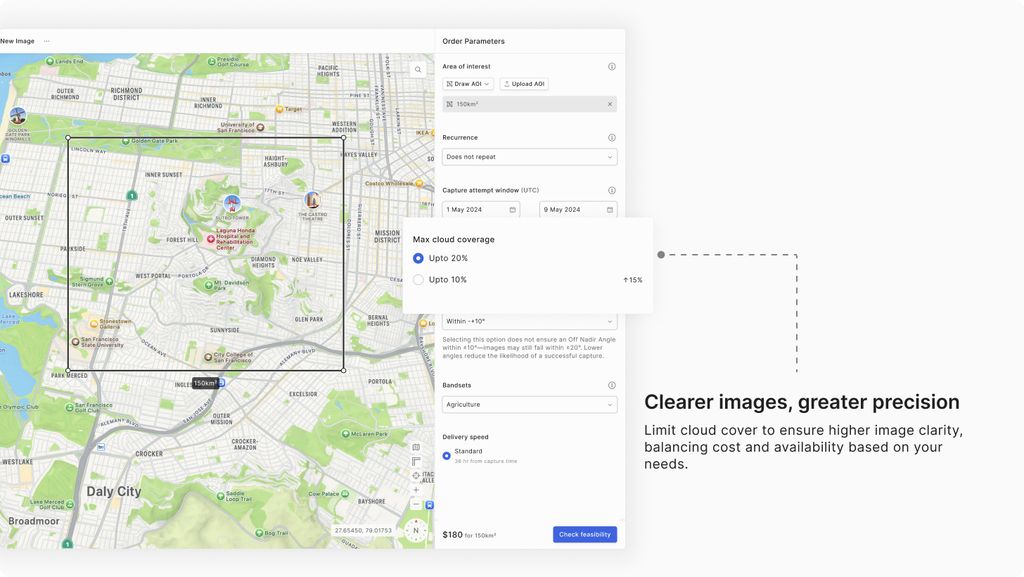
Cloud Cover refers to the percentage of the image that is obscured by clouds. Since clouds can affect the clarity and usability of the imagery, you can specify the maximum cloud cover that’s acceptable for your order.
-
Why It Matters:
A reduced cloud cover threshold leads to clearer images but may also limit capture availability in less-than-ideal weather conditions. For instance, setting a very strict cloud cover requirement may result in fewer available images. -
Available Options:
- Less than 10% (uplift of 15% in cost)
- Less than 20%
- Real-Time Predictions:
To help you make an informed decision, our tasking dashboard displays cloud cover predictions on the date selection element. This feature gives you an estimated cloud cover percentage for your chosen capture window, so you can adjust your settings accordingly.
Putting It All Together
When you place your tasking order:
-
Off Nadir:
Simply choose one of the preset options (e.g., ±20°, ±15°, or ±10°). Remember, the tighter the angle, the more challenging it might be to capture a successful image. -
Cloud Cover:
Decide your maximum acceptable cloud cover. With the dashboard’s real-time predictions, you can see the expected cloud conditions for your selected dates and adjust your limit—whether you stick with the default 20% or opt for a lower threshold.
By automatically validating these parameters, our system ensures that your order is both realistic and optimized for your needs.