
Pixxel
Documentation
Developer Guide
Pixxel API
Overview
About PixxelPixxel's ConstellationPixxel's Tech Demonstrators

Getting Started
AuroraQuick Start

Tasking
Tasking Basics

Available BandsetsCustom Bandsets
Ordering and Cart
Archive OrderingWorking with CartOrder Listing, Status and Details
Catalog and Delivery
My CatalogExport ImageryNaming Convention
Explore Images & Create AOIs
ExploreSearch Location and Draw/Upload AOISearch and Select ImagesSatellite DataAOI Info and Scenes
Analytics Tools

Spectral SignatureSplit Compare
Analytical Models
Insights in Aurora (AOI Screen)Model Marketplace

Workflows
Workflow and Jobs
Aurora Intelligence
OverviewImage Search
Legal Documents
Third Party Satellite Provider Documents
Pixxel
Documentation
Developer Guide
Pixxel API
Overview
About PixxelPixxel's ConstellationPixxel's Tech Demonstrators

Getting Started
AuroraQuick Start

Tasking
Tasking Basics

Available BandsetsCustom Bandsets
Ordering and Cart
Archive OrderingWorking with CartOrder Listing, Status and Details
Catalog and Delivery
My CatalogExport ImageryNaming Convention
Explore Images & Create AOIs
ExploreSearch Location and Draw/Upload AOISearch and Select ImagesSatellite DataAOI Info and Scenes
Analytics Tools

Spectral SignatureSplit Compare
Analytical Models
Insights in Aurora (AOI Screen)Model Marketplace

Workflows
Workflow and Jobs
Aurora Intelligence
OverviewImage Search
Legal Documents
Third Party Satellite Provider Documents
  1. Analytics Tools
  2. Spectral Signature

Spectral Signature

Spectral Graph

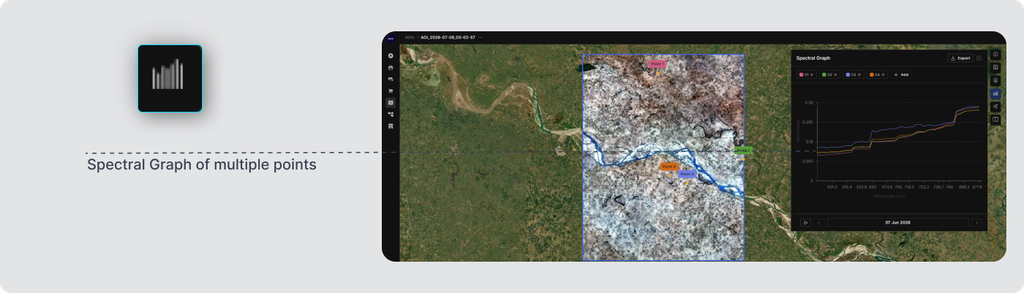
In multispectral or hyperspectral imagery, each pixel contains information from multiple bands across the electromagnetic spectrum. Plotting these pixel values for a selected location or the mean of the pixel values for a selected area across these bands is referred to as a spectral graph. It helps to understand how the pixel characteristics vary across the bands. These spectral graphs are also used to compare the different pixels’ spectral characteristics in the AOI.

You can choose multiple points to create and compare spectral graphs of those points. Just click on the + Add button to create additional points. These graphs can be exported in CSV and JSON format.
BandsSplit Compare
On this page
Spectral Graph