
Pixxel
Documentation
Developer Guide
Pixxel API
Overview
About PixxelPixxel's ConstellationPixxel's Tech Demonstrators

Getting Started
AuroraQuick Start

NotificationsPreferences

Tasking
Tasking Basics

Available BandsetsCustom Bandsets
Ordering and Cart
Archive OrderingWorking with CartOrder Listing, Status and Details
Catalog and Delivery
My CatalogExport ImageryNaming Convention
Explore Images & Create AOIs
ExploreSearch Location and Draw/Upload AOISearch and Select ImagesSatellite DataAOI Info and Scenes
Analytics Tools

Spectral SignatureSplit Compare
Analytical Models
Insights in Aurora (AOI Screen)Model Marketplace

Workflows
Workflow and Jobs
Aurora Intelligence
OverviewImage Search
Legal Documents
Third Party Satellite Provider Documents
Pixxel
Documentation
Developer Guide
Pixxel API
Overview
About PixxelPixxel's ConstellationPixxel's Tech Demonstrators

Getting Started
AuroraQuick Start

NotificationsPreferences

Tasking
Tasking Basics

Available BandsetsCustom Bandsets
Ordering and Cart
Archive OrderingWorking with CartOrder Listing, Status and Details
Catalog and Delivery
My CatalogExport ImageryNaming Convention
Explore Images & Create AOIs
ExploreSearch Location and Draw/Upload AOISearch and Select ImagesSatellite DataAOI Info and Scenes
Analytics Tools

Spectral SignatureSplit Compare
Analytical Models
Insights in Aurora (AOI Screen)Model Marketplace

Workflows
Workflow and Jobs
Aurora Intelligence
OverviewImage Search
Legal Documents
Third Party Satellite Provider Documents
  1. Getting Started
  2. Notification and Preferences
  3. Notifications

Notifications

The Notifications section in Aurora allows users to configure how and when they receive alerts about key events within the platform. Users can enable or disable specific notifications to stay informed about important updates related to AOI (Area of Interest) management and workflow executions.
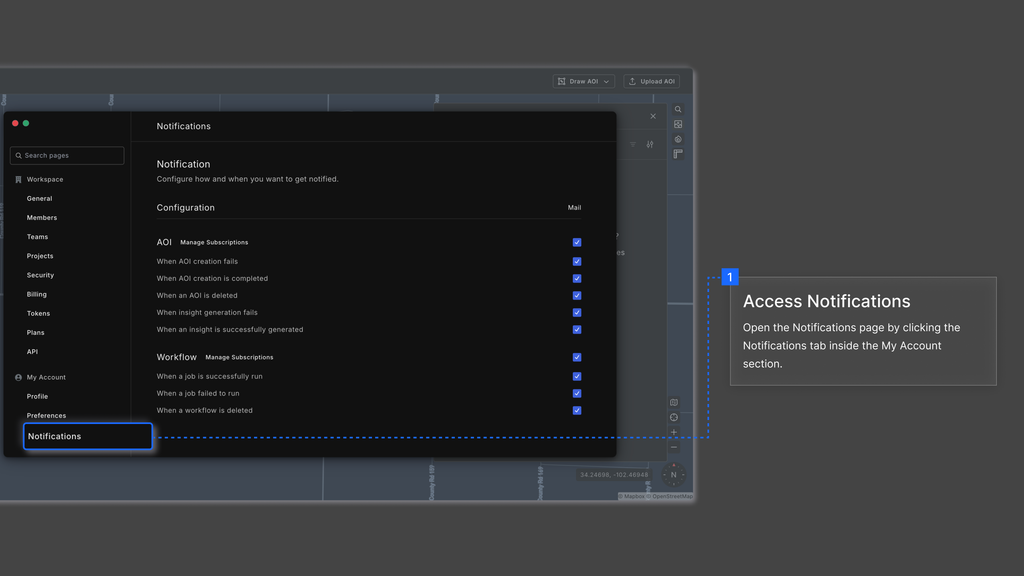
AOI (Area of Interest) Notifications

  • When AOI creation fails – Get notified if an AOI creation attempt is unsuccessful.
  • When AOI creation is completed – Receive a confirmation when an AOI is successfully created.
  • When an AOI is deleted – Stay informed if an AOI is removed from the system.
  • When insight generation fails – Get alerts when an insight generation process encounters an error.
  • When an insight is successfully generated – Receive confirmation when an insight is successfully created.

Workflow Notifications

  • When a job is successfully run – Get notified when a workflow job runs successfully.
  • When a job fails to run – Receive alerts if a workflow job encounters an error.
  • When a workflow is deleted – Stay updated if a workflow is removed from the system.
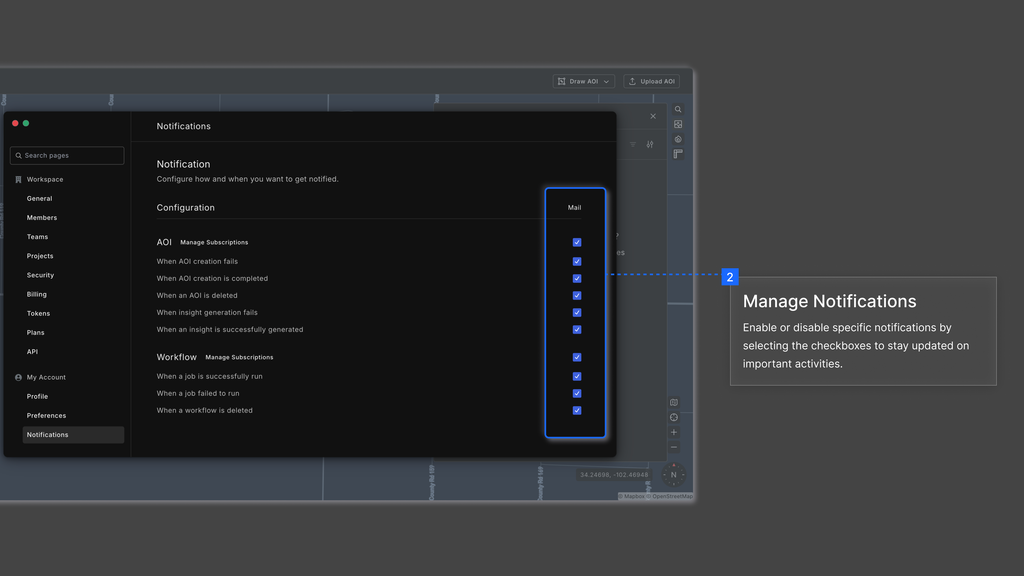
Subscription to AOI and Workflow Notifications

When a user creates an AOI (Area of Interest) or a Workflow, they are automatically subscribed to its notifications. This ensures that they receive timely updates about its progress, including completion, failures, and deletions. However, if another member of the workspace wishes to receive notifications for a specific AOI or Workflow, they must manually subscribe to it. This allows users to stay informed about relevant activities while avoiding unnecessary alerts.
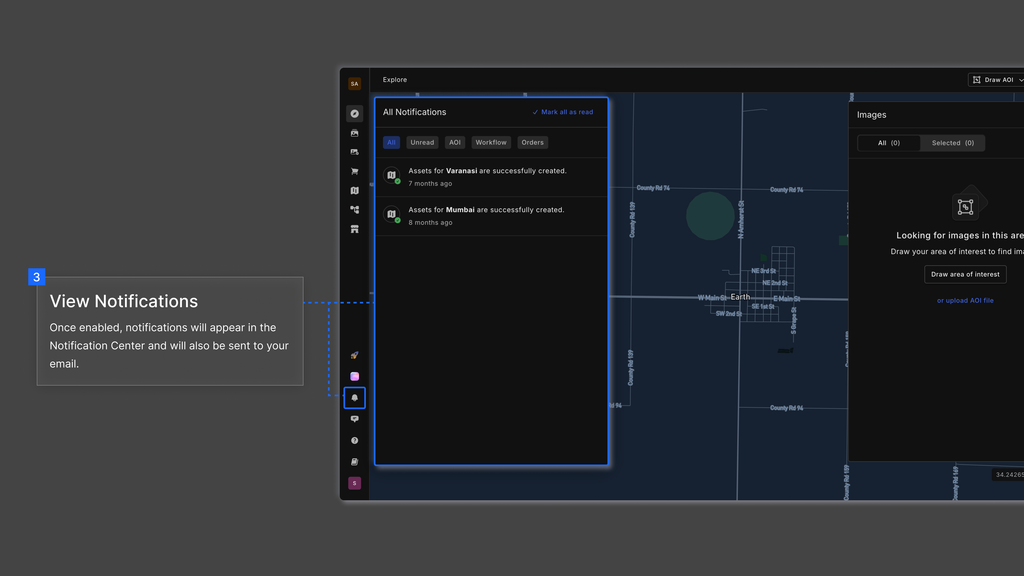
Allowed Email DomainsPreferences
On this page
Subscription to AOI and Workflow Notifications