
Pixxel
Documentation
Developer Guide
Pixxel API
Overview
About PixxelPixxel's ConstellationPixxel's Tech Demonstrators

Getting Started
AuroraQuick Start

Tasking
Tasking Basics

Available BandsetsCustom Bandsets
Ordering and Cart
Archive OrderingWorking with CartOrder Listing, Status and Details
Catalog and Delivery
My CatalogExport ImageryNaming Convention
Explore Images & Create AOIs
ExploreSearch Location and Draw/Upload AOISearch and Select ImagesSatellite DataAOI Info and Scenes
Analytics Tools

Spectral SignatureSplit Compare
Analytical Models
Insights in Aurora (AOI Screen)Model Marketplace

Available Models

Model OverviewModel Quick Tour

Workflows
Workflow and Jobs
Aurora Intelligence
OverviewImage Search
Legal Documents
Third Party Satellite Provider Documents
Pixxel
Documentation
Developer Guide
Pixxel API
Overview
About PixxelPixxel's ConstellationPixxel's Tech Demonstrators

Getting Started
AuroraQuick Start

Tasking
Tasking Basics

Available BandsetsCustom Bandsets
Ordering and Cart
Archive OrderingWorking with CartOrder Listing, Status and Details
Catalog and Delivery
My CatalogExport ImageryNaming Convention
Explore Images & Create AOIs
ExploreSearch Location and Draw/Upload AOISearch and Select ImagesSatellite DataAOI Info and Scenes
Analytics Tools

Spectral SignatureSplit Compare
Analytical Models
Insights in Aurora (AOI Screen)Model Marketplace

Available Models

Model OverviewModel Quick Tour

Workflows
Workflow and Jobs
Aurora Intelligence
OverviewImage Search
Legal Documents
Third Party Satellite Provider Documents
  1. Analytical Models
  2. Models
  3. Image Clustering
  4. Model Overview

Model Overview

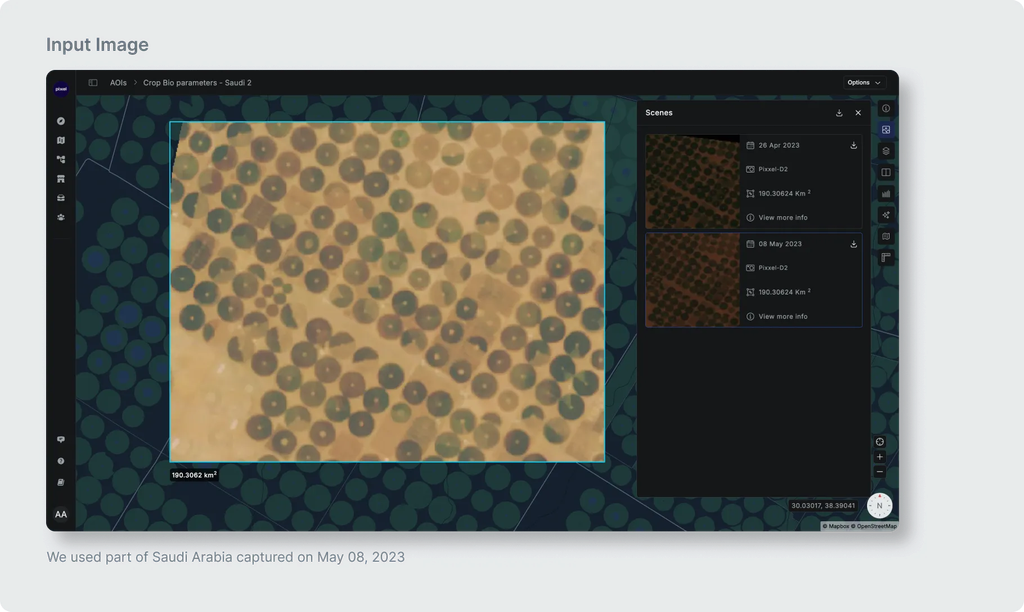
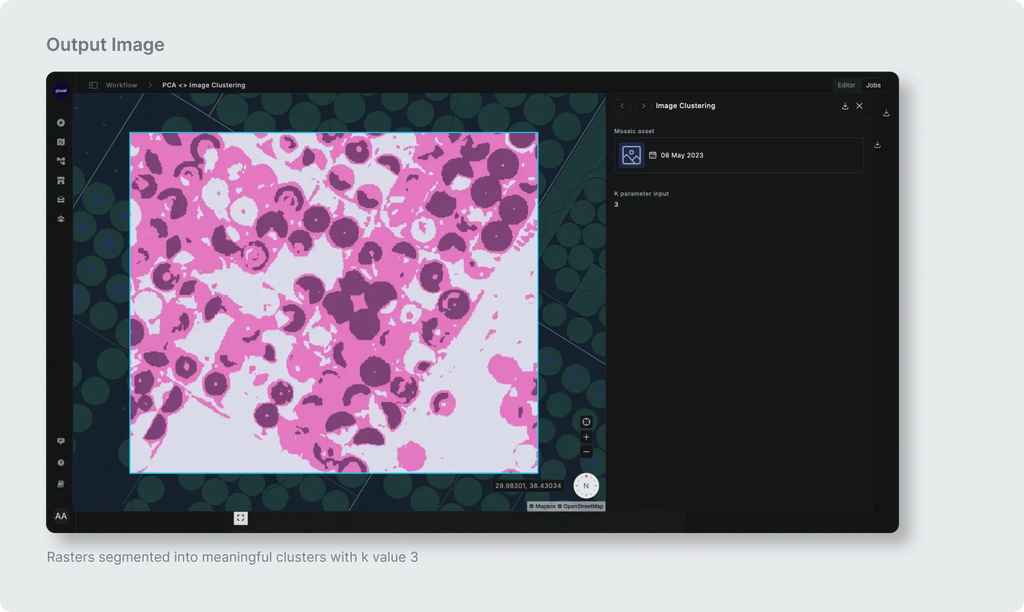
K-Means Clustering is a technique used in data analysis, In the field of image processing with large datasets like rasters. It groups similar pixels together based on their values across multiple channels. Imagine each pixel as a data point with various attributes (channels). K-Means identifies 'k' groups (clusters) so that pixels within each group are more similar to each other than to those in other groups. This helps in segmenting the raster into meaningful regions, making complex data more manageable for further analysis.

The 'k' parameter in K-Means represents the predetermined number of clusters you want to identify in the data. Choosing the right 'k' is crucial, as it directly impacts the granularity of segmentation. A higher 'k' value will result in finer, more detailed clusters, but may lead to over-segmentation. Conversely, a lower 'k' value may result in fewer, broader clusters, potentially missing important distinctions in the data.
Model Quick TourModel Quick Tour