
About Jobs and Tasks
In Aurora, Jobs and Tasks are central to how workflows operate. A Job represents each execution of a workflow—automating analysis by running connected data and processing blocks without needing to rebuild the workflow each time. It captures both the Overview of the run and the Insights generated from it. Within these workflows, Tasks (also known as processing blocks) are the individual steps or operations applied to your data, such as applying models, etc. Together, Jobs and Tasks enable scalable, repeatable geospatial analysis, allowing users to manage complex workflows with clarity and efficiency.
Jobs
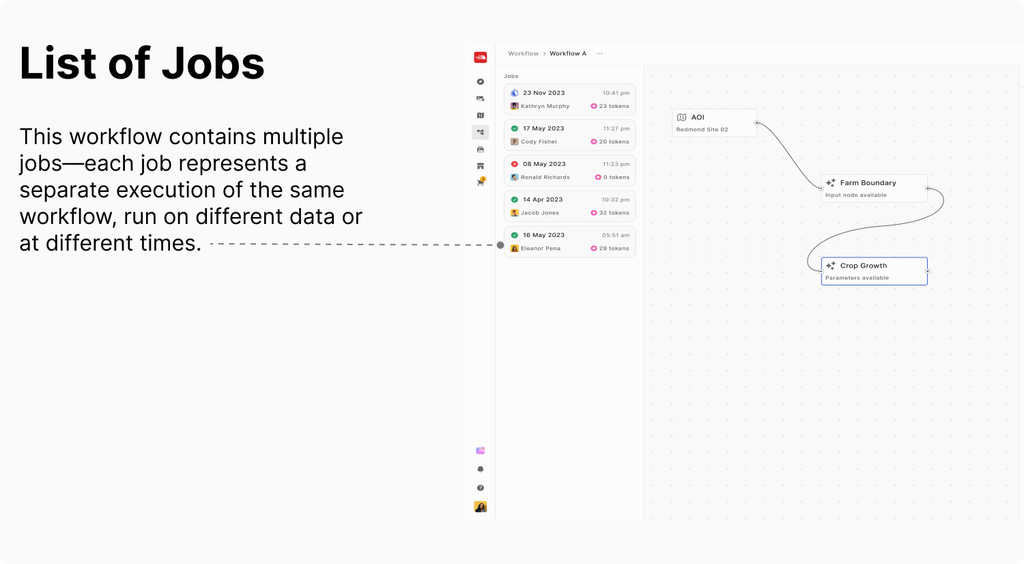
In Aurora, a Job refers to each instance when a workflow is run. Here’s how it works:
-
You create a workflow by connecting data blocks (like your AOI and selected images) with processing blocks (models or analysis tools).
-
When you execute this workflow, it runs as a Job.
-
Jobs allow you to repeatedly run the same workflow on different data or at different times, without having to recreate the workflow each time.
-
Each Job provides an Overview (details about the workflow run) and Insights (the results generated from that run).
In summary: Jobs are the actual executions of your analytical workflows, helping you automate and manage repeated analyses efficiently.
Tasks
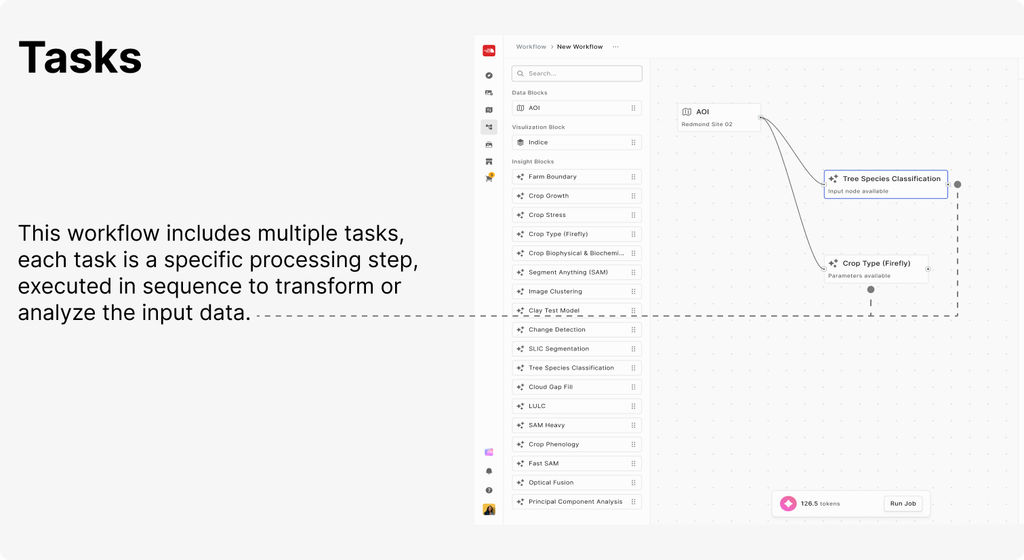
In Aurora, a Task typically refers to an individual operation or step within a workflow.
-
Tasks (or processing blocks) are the actions or models applied to your input data (such as running an analysis, applying a model, or transforming data).
-
A workflow is made up of a sequence of these tasks, connected together to automate your analysis.
-
When you run a workflow, each task is executed in order as part of the overall job.
In Summary: Tasks in Aurora are the individual operations or processing steps that make up a workflow. Each task performs a specific function on your data as part of the larger analysis process.